
Door Won't Lock or Latch? Here's What Is Going On
When the deadbolt will not slide in or the door will not stay shut, the problem is often where the lock meets the frame. How to find it with two simple tests.
Residential guide
What changes when you swap a key for a code or an app, what stays exactly the same, and the questions to answer before you buy one.

Keypad and smart locks promise the end of lost keys and lockouts, and for many homes they deliver. They also bring new questions: batteries, codes and what happens when the technology has a bad day. Here is what to weigh before you choose one.
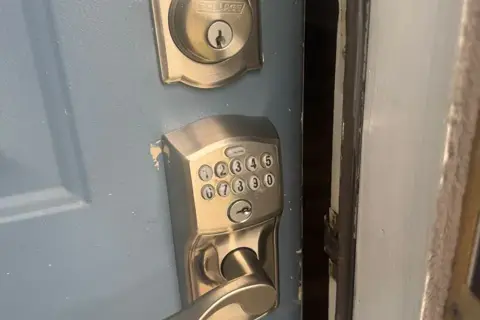
A keypad or smart lock changes how you open the door, not how the door is held shut. The bolt, the strike on the frame and the fit of the door are just as mechanical as before.
Most keypad and smart locks run on ordinary batteries and warn you when they are getting low, usually with a light, a beep or an alert on the app.

A keypad or smart deadbolt usually goes in place of the existing deadbolt, using the same holes in the door. The old lock comes out, the new one goes in, and the strike is checked so the bolt slides in fully. If you are still deciding on the type of lock, our guide on choosing a front-door deadbolt may help.
We fit keypad and smart locks in place of your existing lock. Call and tell us what is going on, or send a request.
Fit a keypad or connected lock in place of an existing one.
See Smart Lock InstallationLocks, cylinders, deadbolts and keys on a home, the strike and its pocket, reinforcement plates, long screws.
See Residential LocksmithTake out a lock and fit a new one, change the cylinder.
See Lock ReplacementWhen the deadbolt will not slide in or the door will not stay shut, the problem is often where the lock meets the frame. How to find it with two simple tests.
Under the mat is the first place anyone looks. Better places for a spare key, and when a keypad beats a hidden key altogether.
Nobody knows how many keys to your new home are still out there. Why the locks come first, and a door-by-door checklist for move-in week.